![[Kotlin] What is the sealed class?](https://img1.daumcdn.net/thumb/R750x0/?scode=mtistory2&fname=https%3A%2F%2Fblog.kakaocdn.net%2Fdna%2FRwu72%2FbtrHrOxc2z2%2FAAAAAAAAAAAAAAAAAAAAALtxzcdGloc6-komiK69rE0t5oXEERx010fOQrGyDCDU%2Fimg.png%3Fcredential%3DyqXZFxpELC7KVnFOS48ylbz2pIh7yKj8%26expires%3D1774969199%26allow_ip%3D%26allow_referer%3D%26signature%3DTpLnquWzwJFjUI%252Bd8AqI1uiSKxc%253D)
Advent of the sealed class
When several child classes inherit from one parent class, the compiler does not know if there are child classes that inherit the parent class.
Let's take an example. We're making an app that records a user's running workouts. At this time, we want to make the human state into a class. There are three types of state: Running, Walking, and Idle. This can be done in code like this.
abstract class PersonState

class Running : PersonState()
class Walking : PersonState()
class Idle : PersonState()
[Code1. class inherit example]
Let's say we want to get a state message for each PersonState. For this, write the getStateMessage function as in [Code 2].
fun getStateMessage(personState: PersonState): String {
    return when (personState) {
        is Running -> "Person is running"
        is Walking -> "Person is walking"
        is Idle -> "Person is doing nothing"
    }
}
[Code2. getStateMessage function]
However, [Code 2] creates an error to add an else branch as follows. That's because the compiler doesn't know how to handle the unknown type.
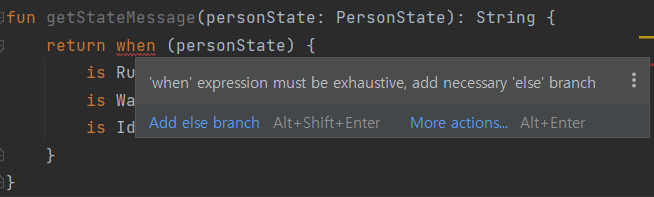
To solve this, if you add an else branch to when as shown in [Figure 2], the error disappears.
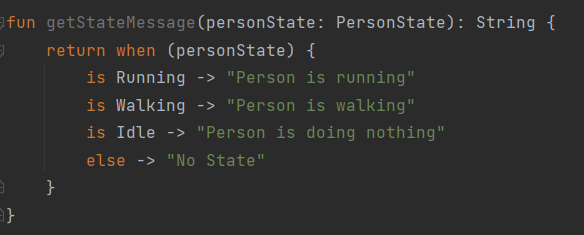
Why did compiler tells to add an else branch? That's because the compiler doesn't know what kind of subclass inherits PersonState. This problem may seem simple, but it is not.
Let's delete the branch for the 'Idle' state in [Figure 2] above. Then, as shown in [Figure 3], it can be confirmed that it compiles without errors.
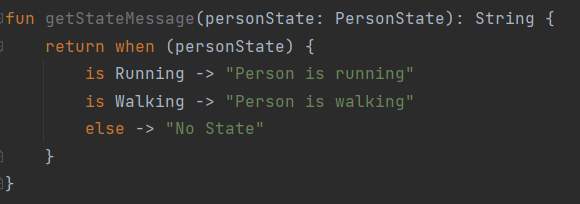
If the code in [Figure 3] is uploaded to an application that is actually used, the Idle state will not be handled and the application will not work properly. In other words, even if there is a problem in the code, it is very difficult to catch the problem because it cannot be caught at the compilation stage since no errors are emitted.
If this is the only part that uses PersonState, it's not a serious problem. However in a normal application, that's not the case. PersonState will be used in many places. This means the code above can emit errors crazily, and the code falls into unmanaged code.
Sealed Class solves this problem elegantly. Let's see how sealed class solves the problem.
What is sealed class?
A sealed class is an abstract class and has the characteristic of limiting the type of child class that is inherited. That is, the compiler can know what subclasses of sealed class are.
If the above example is written once again using sealed class, it is written as follows.
package com.example.demo

sealed class PersonState

class Running : PersonState()
class Walking : PersonState()
class Idle : PersonState()
[Code3. sealed class example]
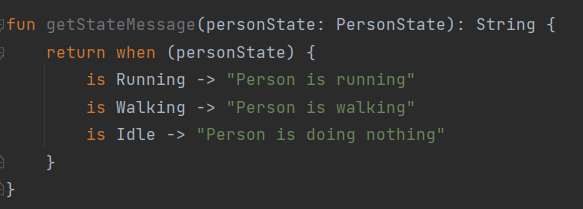
Unlike in [Figure 1], there is no error in [Figure 4]. The reason is that the compiler knows that there are only three child classes of the sealed class PersonState: Running, Walking, and Idle. Therefore, it is possible to receive only necessary messages without using the else branch when.
Let's say we extend our app's functionality by adding a child class called RunningFast to PersonState.
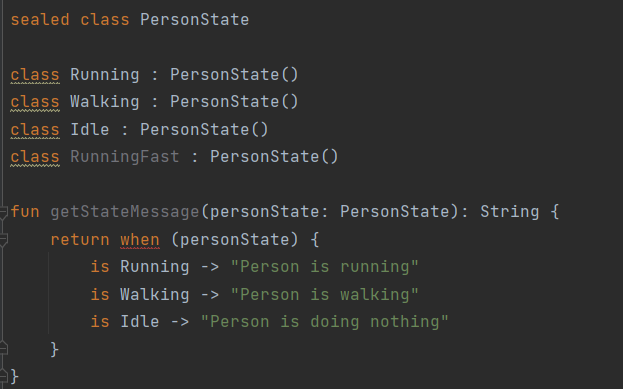
At this point, the compiler throws an error. This is because RunningFast, a child class of sealed class, is not handled.
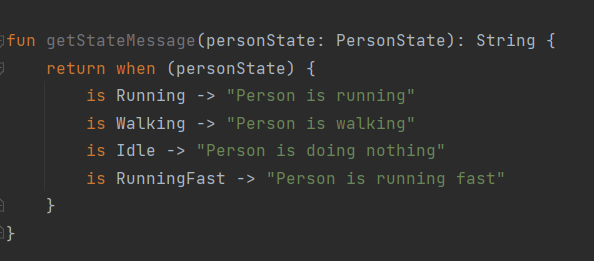
If the branch to RunningFast is processed as [Figure 6], the error disappears.
Inheriting sealed class
Inherit as class
sealed class PersonState()

class Running : PersonState()
class Walking : PersonState()
class Idle : PersonState()
Above, for familiarity, I made an example by limiting the inheritance of sealed class to class.
However, you must have felt a little strange in [Figure 5]. Why are the inherited classes with a caution mark (yellow underline)?

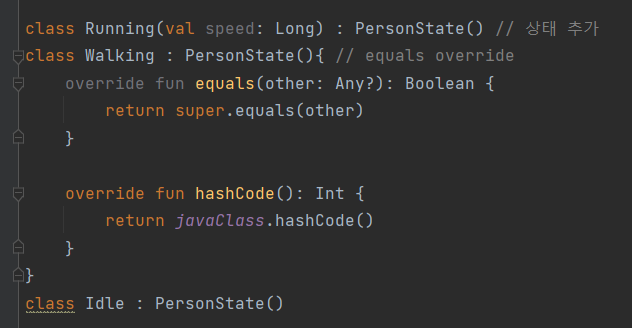
'sealed' subclass has no state and no overridden 'equals()'
This means, inheriting sealed class as a class should be processed only if there is a state (variable) or if equals is overridden. Otherwise, 'object' should be used to save memory.
Therefore, if the above code is changed to the following, the warning disappears.
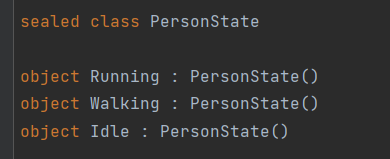
Inherit as object
Objects are loaded into memory and reused only once in the singleton pattern. Therefore, creating an object more than once in the absence of state and putting it into memory is a waste of memory. Therefore, if all values without state variables are changed to objects as shown in [Figure 9], the warning disappears.
Characteristics of sealed classes
Only child classes of the same package can inherit sealed class
It is too resource consuming for the compiler to go through all the packages and find the children. Therefore, a sealed class restricts the declaration of a child class within the same package.
For example, if a sealed class is declared in com.example.demo
package com.example.demo

sealed class PersonState
[Code4. sealed class can only be inheritted in the same package]
If you try to declare a class that inherits PersonState in com.example.demo.controller, the following error is generated.
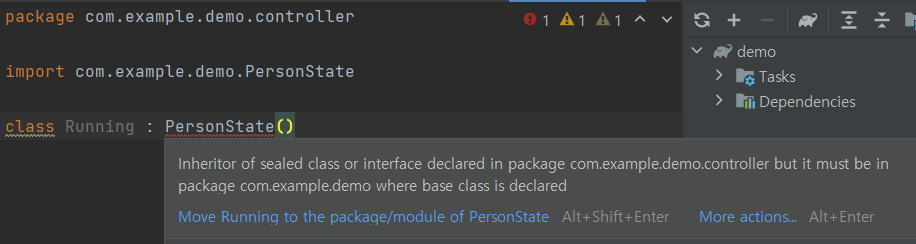
Inheritor of sealed class or interface declared in package com.example.demo.controller but it must be in package com.example.demo where base class is declared
A sealed class is an abstract class and cannot directly create object instances.
A sealed class is an abstract class and cannot be directly instantiated.
If you try to instantiate an object as a sealed class, the error shown in [Figure 8] occurs.
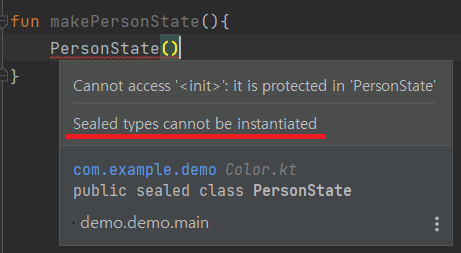
Sealed types cannot be instantiated